Learn · Product
Executive presentation tips: pyramid updates that get decided
Executive presentation tips that work are structural: answer first, support with few proof points, make the ask explicit, and spare the chronology. Busy leaders skim titles. If your titles do not narrate the update, your prose will not save you in a fifteen-minute slot.
Hub: product reviews. Method: Method. Board path: AI board deck.
Related: QBR presentation and all-hands deck.
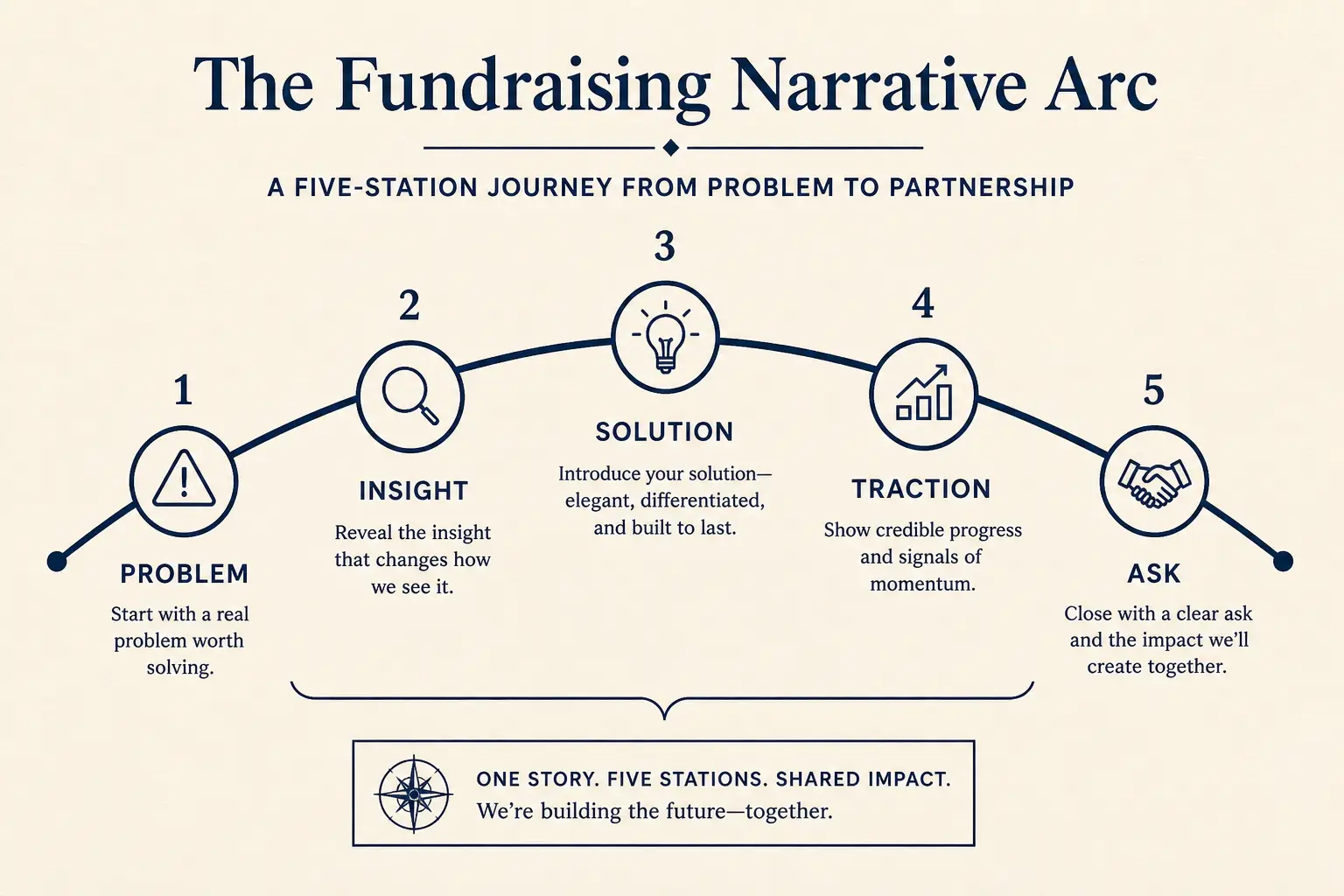
Answer → support → ask
Slide one states the answer and whether a decision is needed. Slides two to four hold at most three supporting arguments with metrics. Slide five states options if escalating. Last slide states the ask with owner and date—or explicitly says no decision needed. Appendix holds chronology for those who want it.
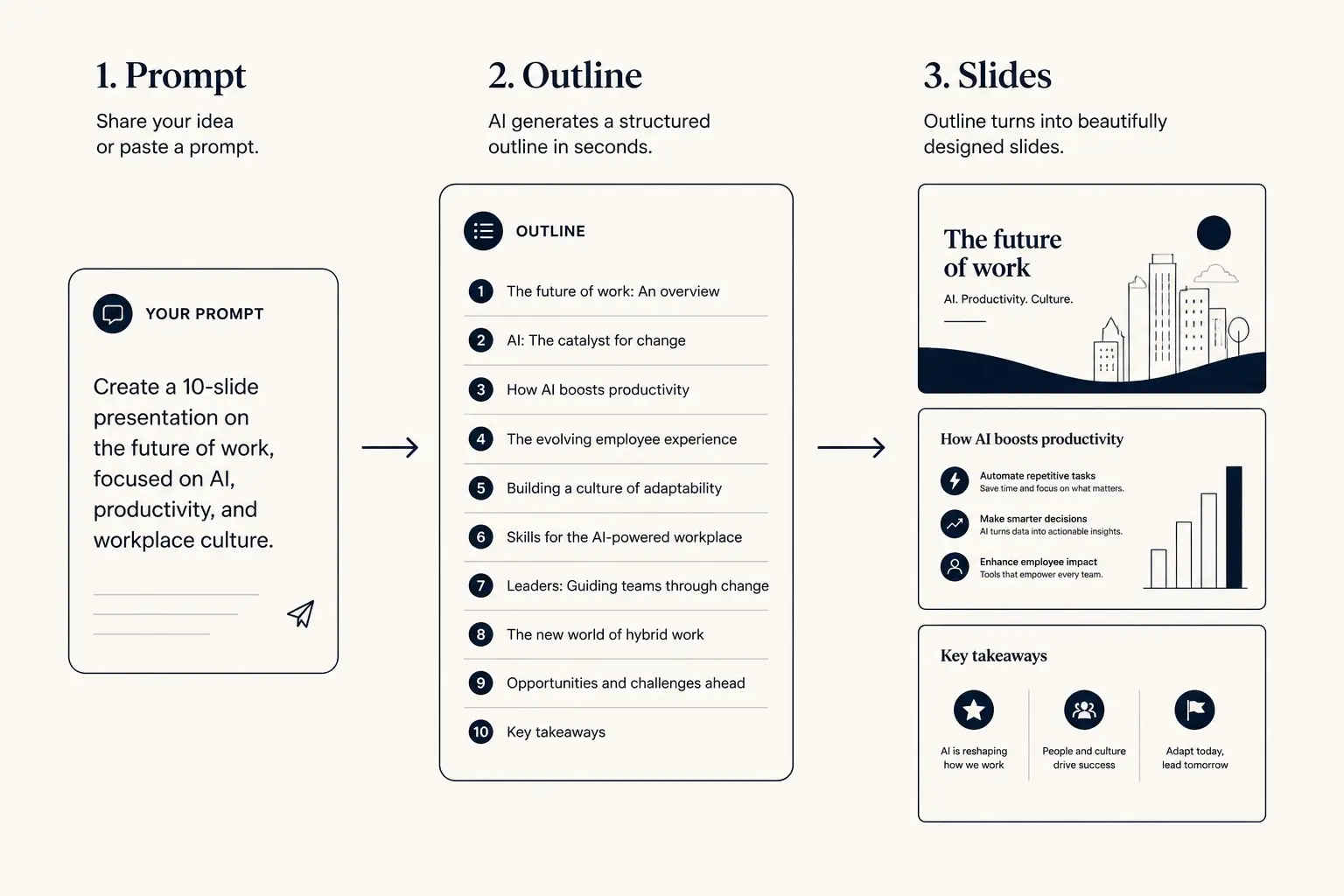
Prompt → outline → slides
1. Prompt
Audience, goal, length, proof you already have.
2. Outline
- • Opening claim
- • Proof beats
- • Ask / next step
3. Slides
Worked example: fifteen-minute yellow status
Title: Launch risk is yellow—SSO slips two weeks; recommend limited launch without SSO for self-serve, delay enterprise banner. Support: beta activation plus twenty-two percent; two named enterprise deals blocked; workaround legal-approved for allowlist. Ask: approve limited launch September 12 and shift enterprise messaging—decision by Friday. Six slides total. No team history. No roadmap tour.
Interactive: draft answer-first
Paste the answer, three supports, and the ask. Reject story-time outlines.
Outline preview
- Narrative, open with Executive update: answer first on launch
- Body, 3–5 slides that carry the argument
- Close, summary, risks, and the ask
Preview only, Gamma expands this into editable slides.
Declarative titles checklist
Replace SSO Update with SSO slips two weeks; enterprise banner should wait. Replace Metrics with Activation hit plus eighteen percent; still short of plus twenty-five percent goal. Replace Next steps with Need decision Friday: limited launch vs full delay. Titles are the skim path.
Anatomy of a claim slide
Claim headline (one idea)
Supporting line that states the so-what for this audience.
Source / footnote
Failure modes
- Chronology first, Lost room. Fix: answer on slide one.
- Soft titles, Update, Overview. Fix: declarative claims.
- No ask, FYI fog. Fix: decision or explicit none.
- Metric dump, Ten charts. Fix: three supports max.
- Inflated weekly, Mini-QBR. Fix: four to seven slides.
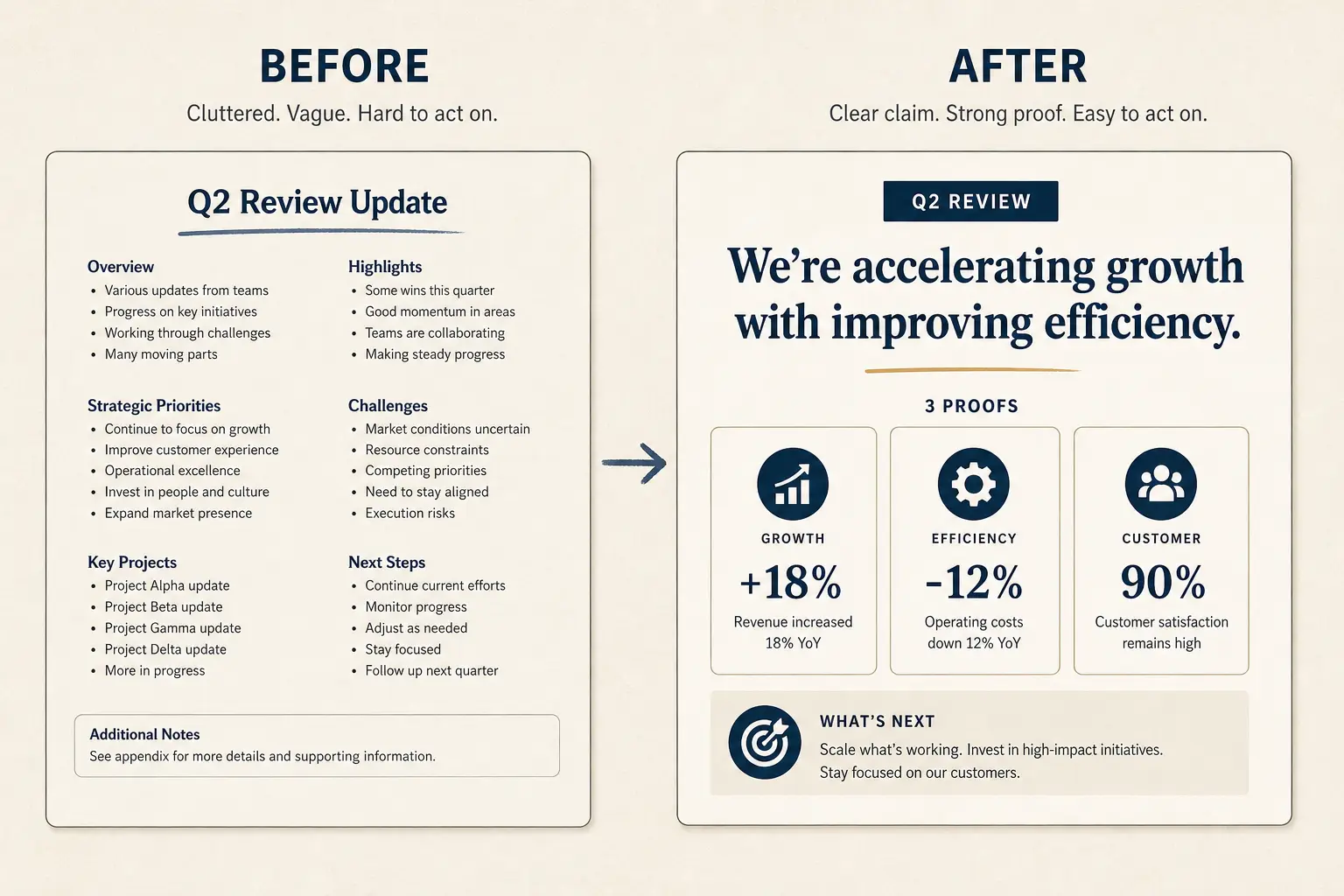
Weak slide → strong slide
Before
- • Overview
- • Features
- • Next steps???
After
- • Cost of status quo
- • Wedge in one claim
- • Proof + decision ask
Slide density spectrum
Sparse
Live stage
1 claim, huge type
Balanced
Default
Claim + 3 proofs
Dense
Leave-behind
Detail for async read
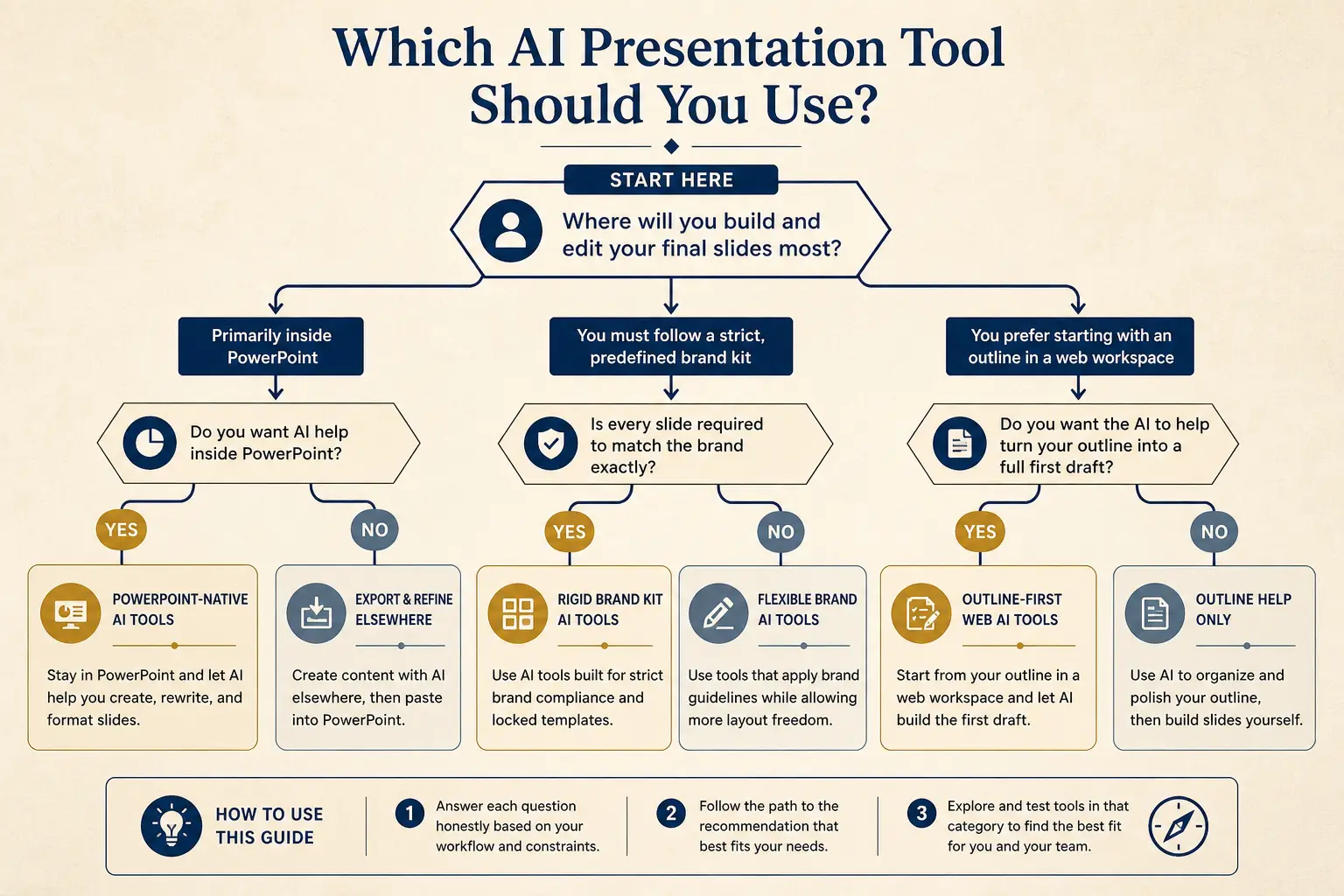
Not for you if…
If the audience needs training, write a enablement deck—not an exec update. If the decision is a full portfolio shift, use roadmap or strategy offsite structures.
Gamma next step
Write the answer sentence first. Paste answer, three supports, and ask into AI board deck or AI presentation maker. Generate, then delete any slide whose title is a noun phrase without a point.
Time-to-usable-deck
Blank PPT path
Outline in docs → design fight → rebuild → 3–8 hours
Outline-first AI path
Prompt → edit outline → generate → polish → minutes to first usable draft
Evaluation rubric axes
Present link vs PPTX fidelity
Present link
- • Live latest edits
- • Best for your room
- • Analytics-friendly
Export PPTX / PDF
- • Offline / procurement
- • Brand review in PPT
- • Expect cleanup passes
Operating system: controls that keep AI drafts honest
Exec updates fail when they bury the answer under chronology. Write the decision the meeting must produce before you open the generator. Assign an owner for every assumption on the slide. Schedule a title-only review with someone who was not in the source meeting. When those three controls exist, AI drafts accelerate the spine instead of decorating a vague brochure. When they do not, you get polished ambiguity that stalls in the room. Keep a one-page failure log of decks that missed their job—wrong density, missing cost or decision framing, soft close, unlabeled options, invented metrics—and coach the pattern, not the personality of the author.
Checklist before send for Executive presentation tips: pyramid updates that get decided: every headline uses audience language; every proof artifact has a commitment label; every number has a source; the last slide names owner and date when a decision is required; live and leave-behind twins share a version when both exist; and you can delete twenty percent of slides without losing the decision path. In Gamma, paste constraints first—audience, minutes, stakes, proof you already have, and the ask—then reject outline sections that invent facts.
Express path for late joiners
Not every stakeholder needs the full tour of Executive presentation tips: pyramid updates that get decided. Build a three-slide express path: the cost of inaction or the core tension, the wedge with one proof point, and the dated ask or decision. If the main deck cannot compress into that express path, the narrative is still a catalog. Train managers to request the express path in reviews; it surfaces structural rot faster than debating color palettes. Pair this with the public evaluation axes on Method when you compare tools.
Micro-example: what good looks like in numbers
Concrete numbers beat adjectives for Executive presentation tips: pyramid updates that get decided. A thirty-five minute medium-stakes meeting usually supports eight to ten live narrative slides at roughly fifty seconds each, plus appendix. A sixty-minute high-stakes committee can support twelve to fourteen live slides if proof and risk earn the minutes. If your draft lands at twenty-two live slides for a thirty-minute call, you do not have a design problem—you have a prioritization problem. Cut until the title-only story still stands, then densify the async twin for readers who were not in the room.
Enablement: how managers review this deck type
Managers reviewing work about Executive presentation tips: pyramid updates that get decided should score binaries before aesthetics. Does the opening answer the job in under sixty words of titles? Is proof labeled for commitment level? Are tradeoffs or exclusions explicit? Is the close a decision with owners rather than a thank-you? Fail two binaries and the deck returns for rewrite. Celebrate cuts publicly so brevity becomes status. Record which failure modes repeat across authors—those become the next enablement clinic, not another template skin.
For AI-assisted drafts on Executive presentation tips: pyramid updates that get decided, require the human to paste source constraints in the prompt: discovery tags, scorecard rows, principles, or claim titles. Ban regenerate-until-pretty workflows. The model is a layout accelerator after the spine is locked. Teams that skip the lock spend twice as long arguing with slides that look finished and reason unfinished.
Channel rules: live, async, and export
Choose density from channel. Live facilitation of Executive presentation tips: pyramid updates that get decided wants sparse claim slides and optional speaker cues. Async readers want complete claims, definitions, and FAQ. Export when the buyer or board process requires a file they can markup; present from a link when you control the room and want the latest version. Always re-check hierarchy and table fidelity after PPTX export. A beautiful canvas that collapses in the packet is not done.
Version twins together. When scope, metrics, or recommendations change for Executive presentation tips: pyramid updates that get decided, bump the shared version and send a one-slide change log: what moved, why, and whether the ask changed. Silent revisions are how champions and executives get blindsided by their own follow-up threads.
Anti-patterns library for this motion
Watch for these anti-patterns whenever you ship Executive presentation tips: pyramid updates that get decided: homepage transplants that ignore audience language; chronology that buries the answer; equal-weight icon grids that flatten hierarchy; miracle metrics without inputs; soft closes that replace dated asks; and appendix tours that steal airtime from decisions. Each anti-pattern has a fix already named in the failure modes above—teach the fix in deal or design review, not in a style guide nobody opens.
When time is scarce, protect the ask and the proof. Cut secondary cases, decorative section dividers, and repeated logos before you cut the mutual plan or the decision log. Rooms that run out of time before the ask are process failures. Build cut options into speaker notes or facilitation plans so the close survives.
Putting it into Gamma this week
This week, pick one real meeting that needs Executive presentation tips: pyramid updates that get decided. Gather the minimum inputs—tags, metrics, decision options, or weak slides to rewrite. Generate outline-first in Gamma. Run a title-only read with a skeptic. Cut twenty percent. Produce the density twin if async readers matter. Send before the context goes cold. After the meeting, log what worked and which slide still failed so the next draft compounds instead of restarting from a blank brochure.
If you lead a team, convert this page into a one-page checklist owned by enablement or the chief of staff. Attach it to the calendar invite template for meetings that use Executive presentation tips: pyramid updates that get decided. Tools do not fix missing rituals. Rituals plus outline-first generation do.
Additional teaching detail for Executive presentation tips: pyramid updates that get decided: treat every slide title as a sentence the audience could text to a colleague. If the texted sentence is vague, rewrite the title before you touch layout. Ambiguous titles are the leading indicator of later meeting failure across sales, product, and design motions alike. Keep a running list of strong titles from winning decks and reuse the pattern—not the nouns—on the next draft.
Additional teaching detail for Executive presentation tips: pyramid updates that get decided: treat every slide title as a sentence the audience could text to a colleague. If the texted sentence is vague, rewrite the title before you touch layout. Ambiguous titles are the leading indicator of later meeting failure across sales, product, and design motions alike. Keep a running list of strong titles from winning decks and reuse the pattern—not the nouns—on the next draft.
Additional teaching detail for Executive presentation tips: pyramid updates that get decided: treat every slide title as a sentence the audience could text to a colleague. If the texted sentence is vague, rewrite the title before you touch layout. Ambiguous titles are the leading indicator of later meeting failure across sales, product, and design motions alike. Keep a running list of strong titles from winning decks and reuse the pattern—not the nouns—on the next draft.
Additional teaching detail for Executive presentation tips: pyramid updates that get decided: treat every slide title as a sentence the audience could text to a colleague. If the texted sentence is vague, rewrite the title before you touch layout. Ambiguous titles are the leading indicator of later meeting failure across sales, product, and design motions alike. Keep a running list of strong titles from winning decks and reuse the pattern—not the nouns—on the next draft.
Additional teaching detail for Executive presentation tips: pyramid updates that get decided: treat every slide title as a sentence the audience could text to a colleague. If the texted sentence is vague, rewrite the title before you touch layout. Ambiguous titles are the leading indicator of later meeting failure across sales, product, and design motions alike. Keep a running list of strong titles from winning decks and reuse the pattern—not the nouns—on the next draft.
Additional teaching detail for Executive presentation tips: pyramid updates that get decided: treat every slide title as a sentence the audience could text to a colleague. If the texted sentence is vague, rewrite the title before you touch layout. Ambiguous titles are the leading indicator of later meeting failure across sales, product, and design motions alike. Keep a running list of strong titles from winning decks and reuse the pattern—not the nouns—on the next draft.
Additional teaching detail for Executive presentation tips: pyramid updates that get decided: treat every slide title as a sentence the audience could text to a colleague. If the texted sentence is vague, rewrite the title before you touch layout. Ambiguous titles are the leading indicator of later meeting failure across sales, product, and design motions alike. Keep a running list of strong titles from winning decks and reuse the pattern—not the nouns—on the next draft.
Additional teaching detail for Executive presentation tips: pyramid updates that get decided: treat every slide title as a sentence the audience could text to a colleague. If the texted sentence is vague, rewrite the title before you touch layout. Ambiguous titles are the leading indicator of later meeting failure across sales, product, and design motions alike. Keep a running list of strong titles from winning decks and reuse the pattern—not the nouns—on the next draft.
Additional teaching detail for Executive presentation tips: pyramid updates that get decided: treat every slide title as a sentence the audience could text to a colleague. If the texted sentence is vague, rewrite the title before you touch layout. Ambiguous titles are the leading indicator of later meeting failure across sales, product, and design motions alike. Keep a running list of strong titles from winning decks and reuse the pattern—not the nouns—on the next draft.
Additional teaching detail for Executive presentation tips: pyramid updates that get decided: treat every slide title as a sentence the audience could text to a colleague. If the texted sentence is vague, rewrite the title before you touch layout. Ambiguous titles are the leading indicator of later meeting failure across sales, product, and design motions alike. Keep a running list of strong titles from winning decks and reuse the pattern—not the nouns—on the next draft.
Additional teaching detail for Executive presentation tips: pyramid updates that get decided: treat every slide title as a sentence the audience could text to a colleague. If the texted sentence is vague, rewrite the title before you touch layout. Ambiguous titles are the leading indicator of later meeting failure across sales, product, and design motions alike. Keep a running list of strong titles from winning decks and reuse the pattern—not the nouns—on the next draft.
Frequently asked questions
Write exec updates answer-first
Lead with the answer and the ask in Gamma. Support with three proof bullets—then stop.